
The Translations tab allows you to maintain terminological consistency across different language versions of the application. Each variable, represented as a key, corresponds to a specific word or phrase that can be translated into different languages. This makes it possible to automatically change the language of the application's user interface depending on the user's choice of language.
-
The user can search for the specific key they want to translate using the search box.
-
“New translation” button - This button is used to add a new translation entry to the system. After pressing it, the user can enter the new key and its equivalents in different languages.
-
“Edit” button. - Allows you to modify an existing translation entry. After selecting a specific key and pressing this button, the user can change the translation of a word or phrase in one or all available languages.
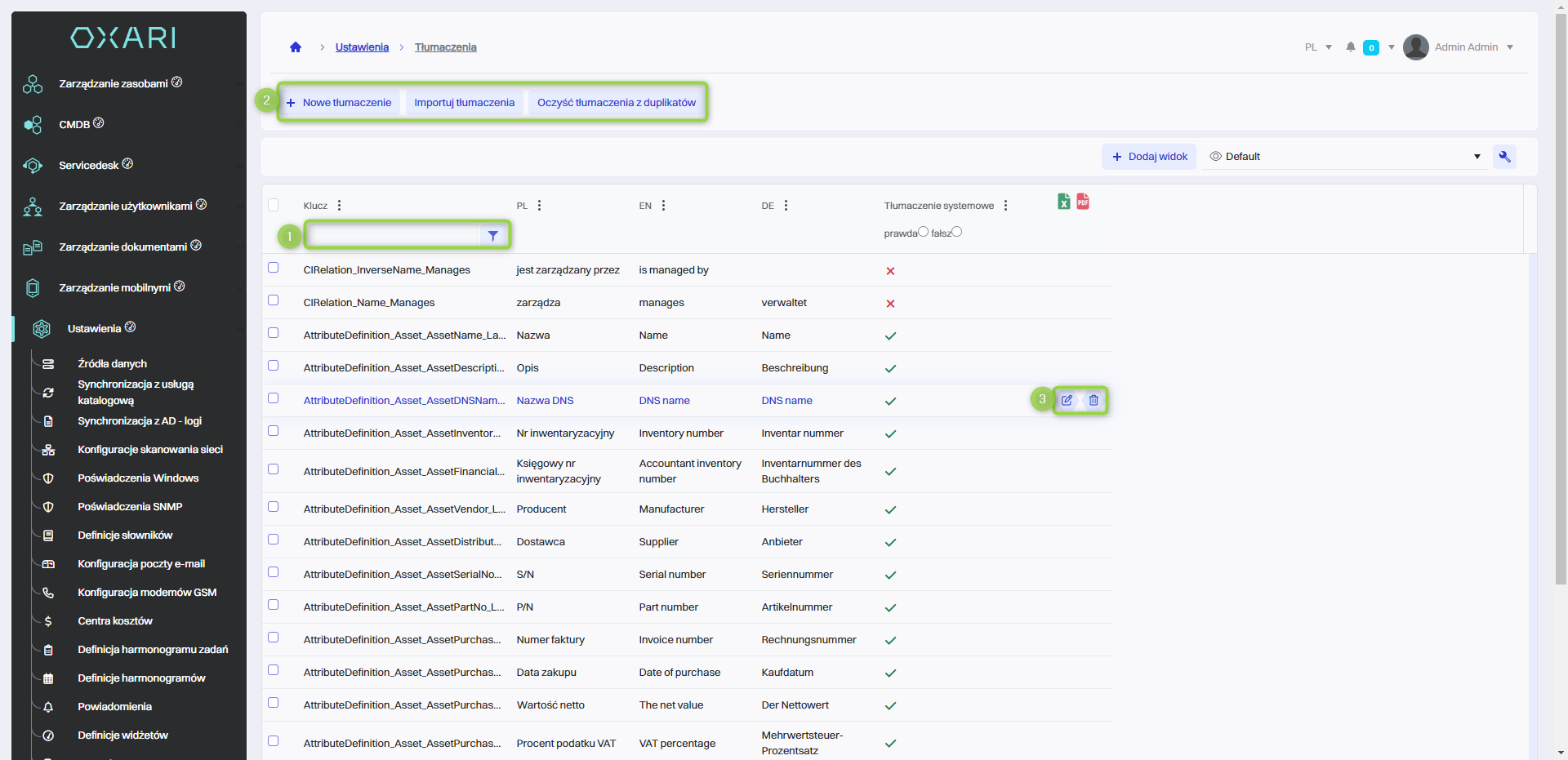
For each key, the user enters the corresponding translations in the language columns - the screenshot shows columns for Polish (PL), English (EN) and German (DE).