Dictionary definitions in the OXARI system are used to create sets of values that can then be used in various user interface elements, such as drop-down lists in forms. Using defined dictionaries increases data entry efficiency, reduces errors and provides better analysis and reporting by standardizing the terminology used throughout the system.
New dictionary definition
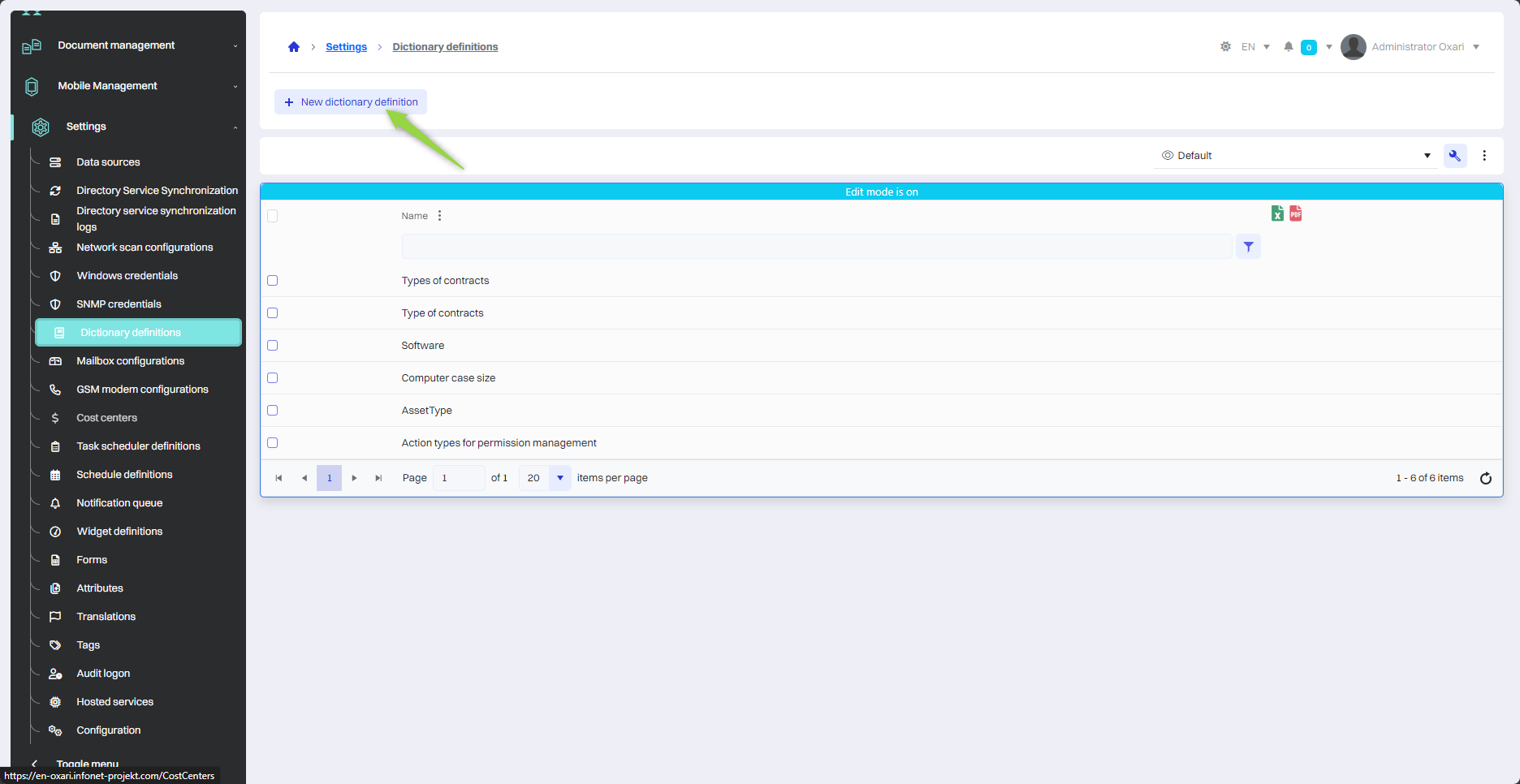
To add a new dictionary definition, navigate to the section in question and then click the “New Dictionary Definition” button.
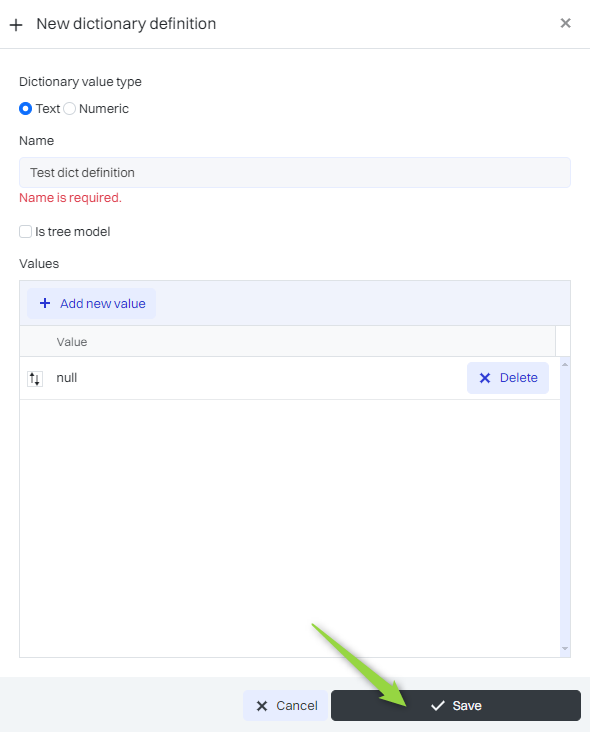
Specifying and saving a new dictionary
Then fill in the required fields. To add a new value, click the “Add new value” button and then enter the desired value in the displayed field. After filling in the dictionary, click the “Save” button.
|
1 |
Typically, the value of the word - to choose “text” at the text and “Numerical” at the number. |
|
2 |
Name - Name of the dictionary. |
|
3 |
Tree-type dictionary - A tree-type dictionary refers to a data structure that organizes elements in a hierarchical, tree-like manner. In contrast, a “normal” dictionary organizes data so that each element points to a specific value. |
|
4 |
Value - The object containing the data. |
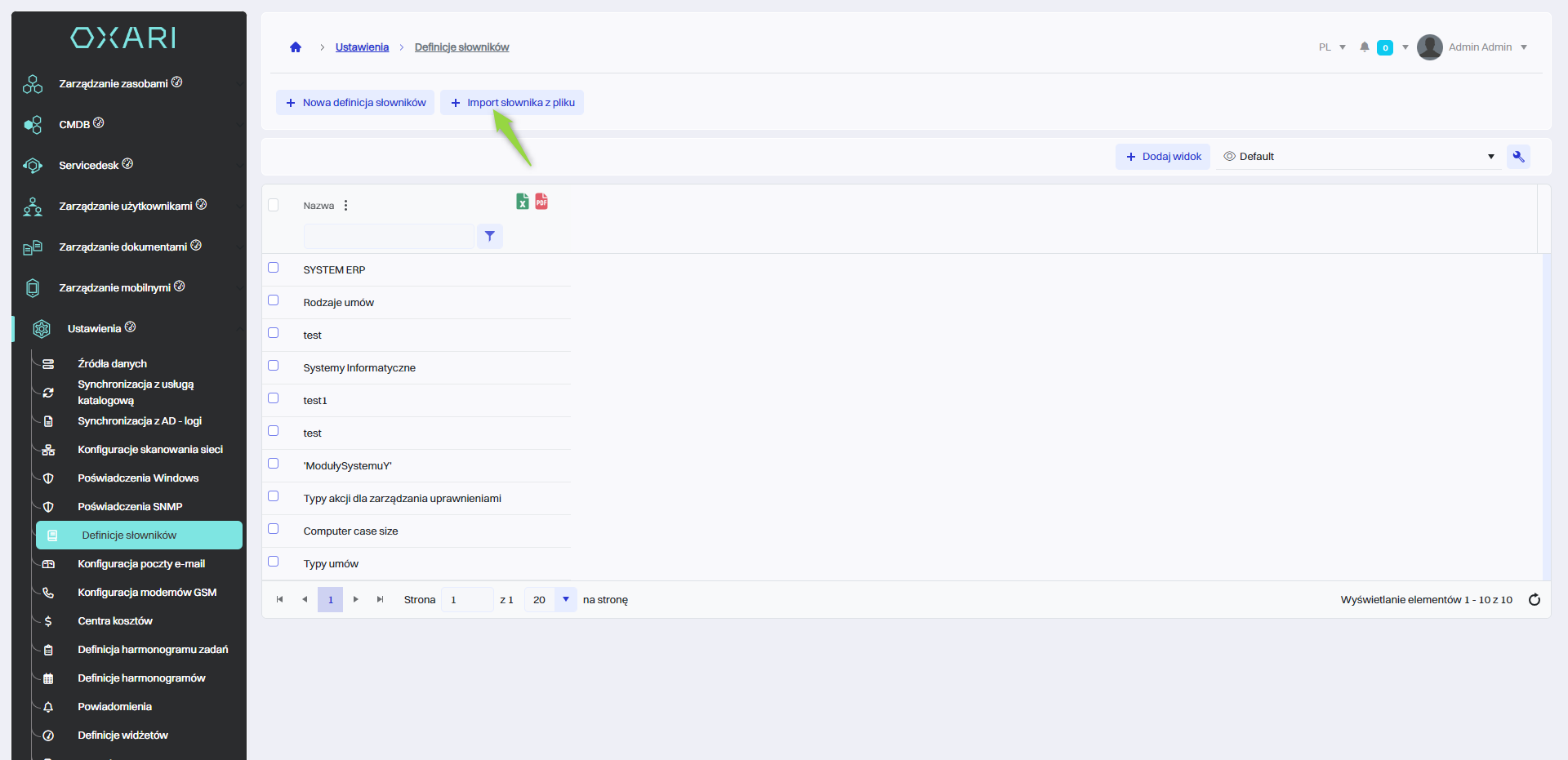
Import dictionary from file
To import a dictionary from a file, go to the section in question, and then click the “Import dictionary from file” button.
The required file type is “.xlsx”. The cells in the file should contain the values for the dictionary. The name of the dictionary will be the name of the .xlsx file.
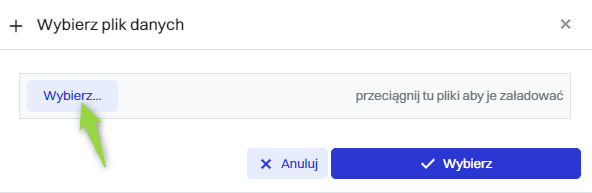
Selecting the file to import
To select a file, click the “Select...” button.
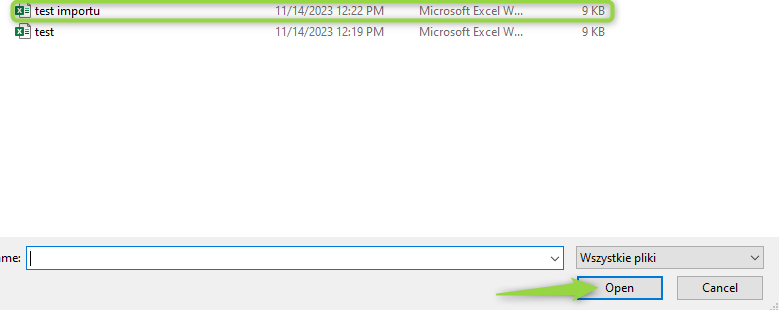
Opening a file
Next, select the file in question and click the “Open” button.
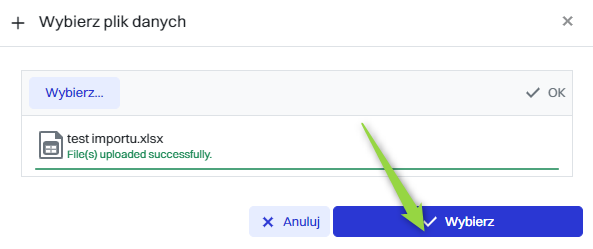
Selecting the loaded file
In the “Select data file” window, the file will appear with information about the correct loading. To import the file, click the “Select” button.
Saving the loaded file
In the “New data import” window, click the “Save” button to save the file.

Edit/Delete
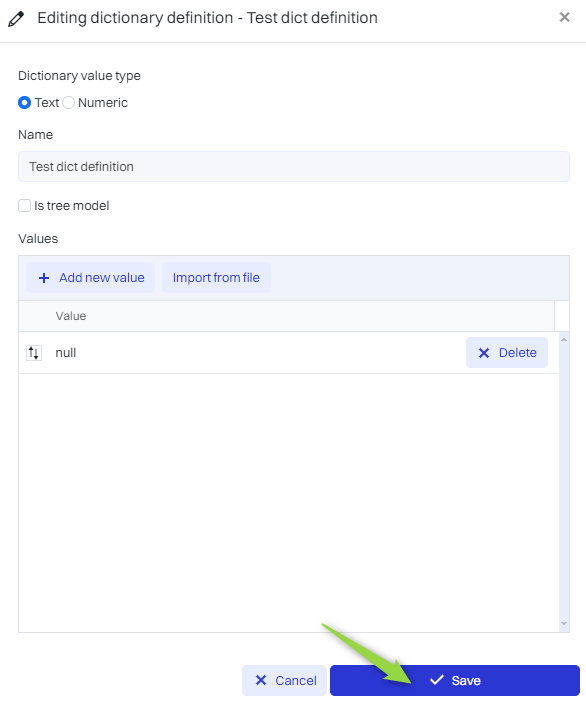
The dictionary definition can be edited or deleted using the following buttons.
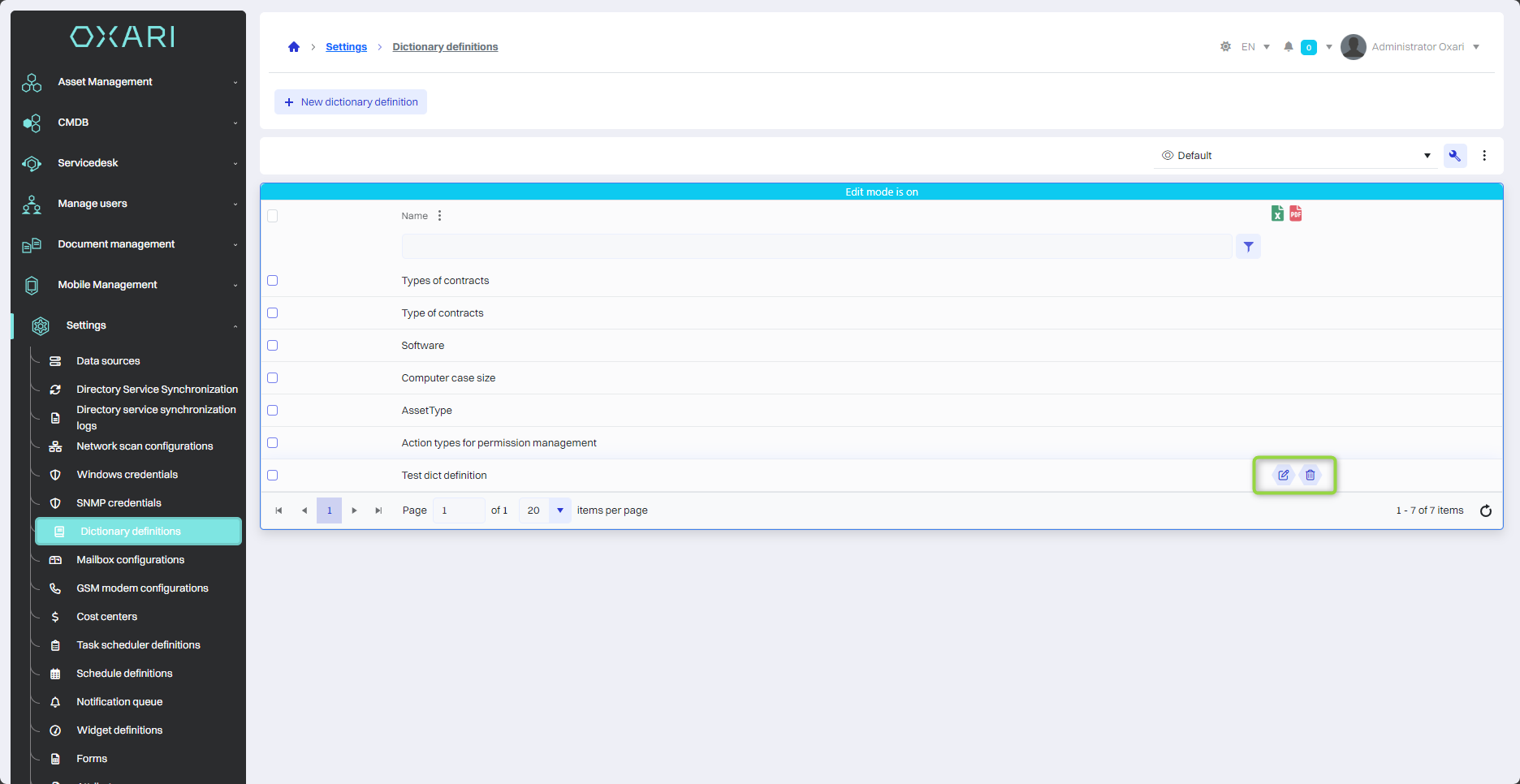
Editing data in the dictionary
All data in the dictionary can be edited, values in the dictionary can be added, edited or deleted.