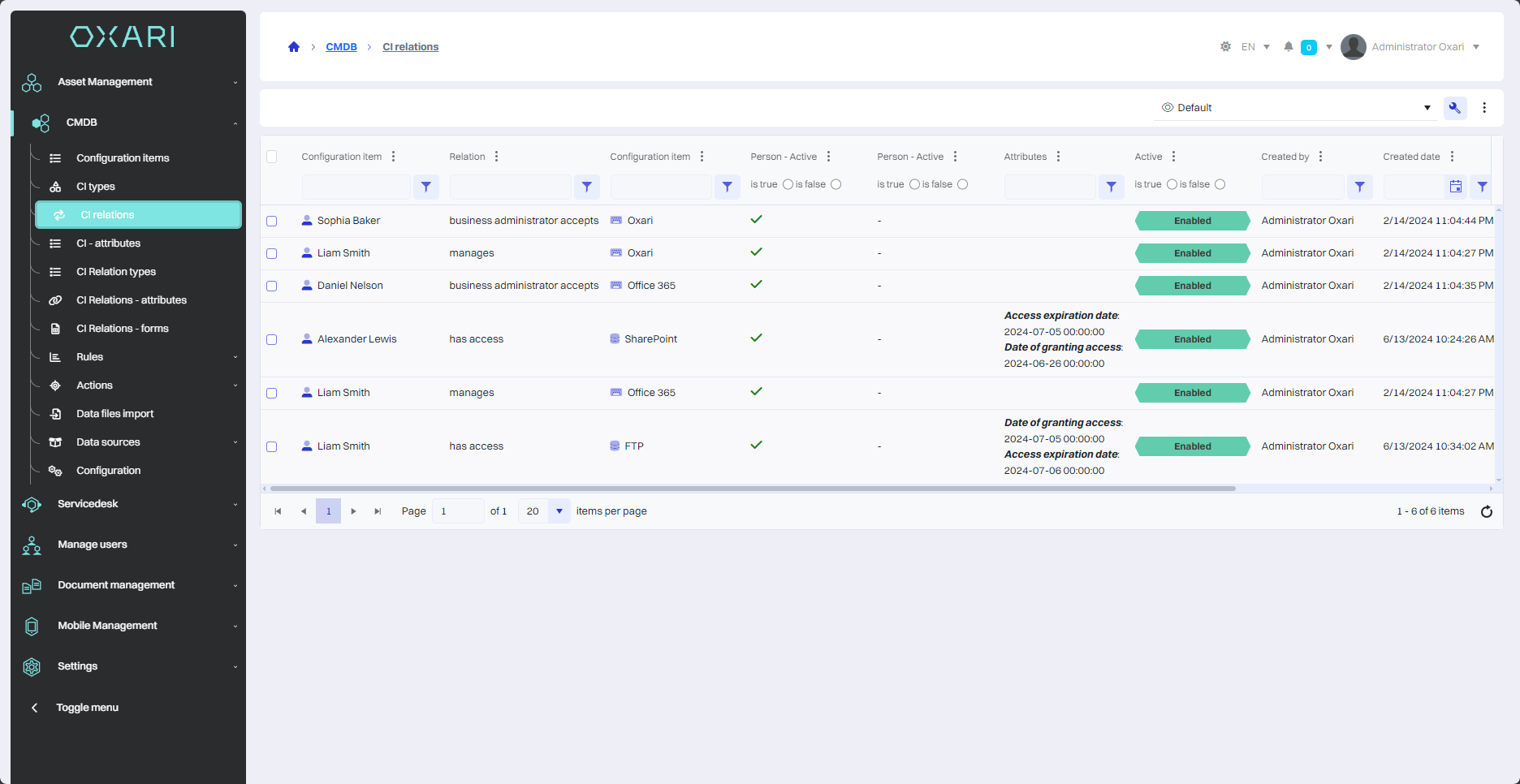
This section shows a list of all CI relations. The list shows how each configuration item is related to each other. For each relation, the following information is displayed:
|
1 |
Configuration element - The name of the first configuration element, which is one of the ends of the relationship. |
|
2 |
Relation - The type of relation, such as “has access” or “manages”, indicating the type of relation between the elements. |
|
3 |
Configuration element (2) - The name of the second configuration element in the relation, indicating what the first element has access to or manages. |
|
4 |
Attributes - Additional information about the relation, which may include details about the nature of access or management. |
|
5 |
Active - An indicator of whether the relation is currently active. |
|
6 |
Created by - The user who created the relation. |
|
7 |
Created date - The date and time the relation was created. |
|
8 |
Edit/Delete - Options to manage the relation, such as delete or edit. |