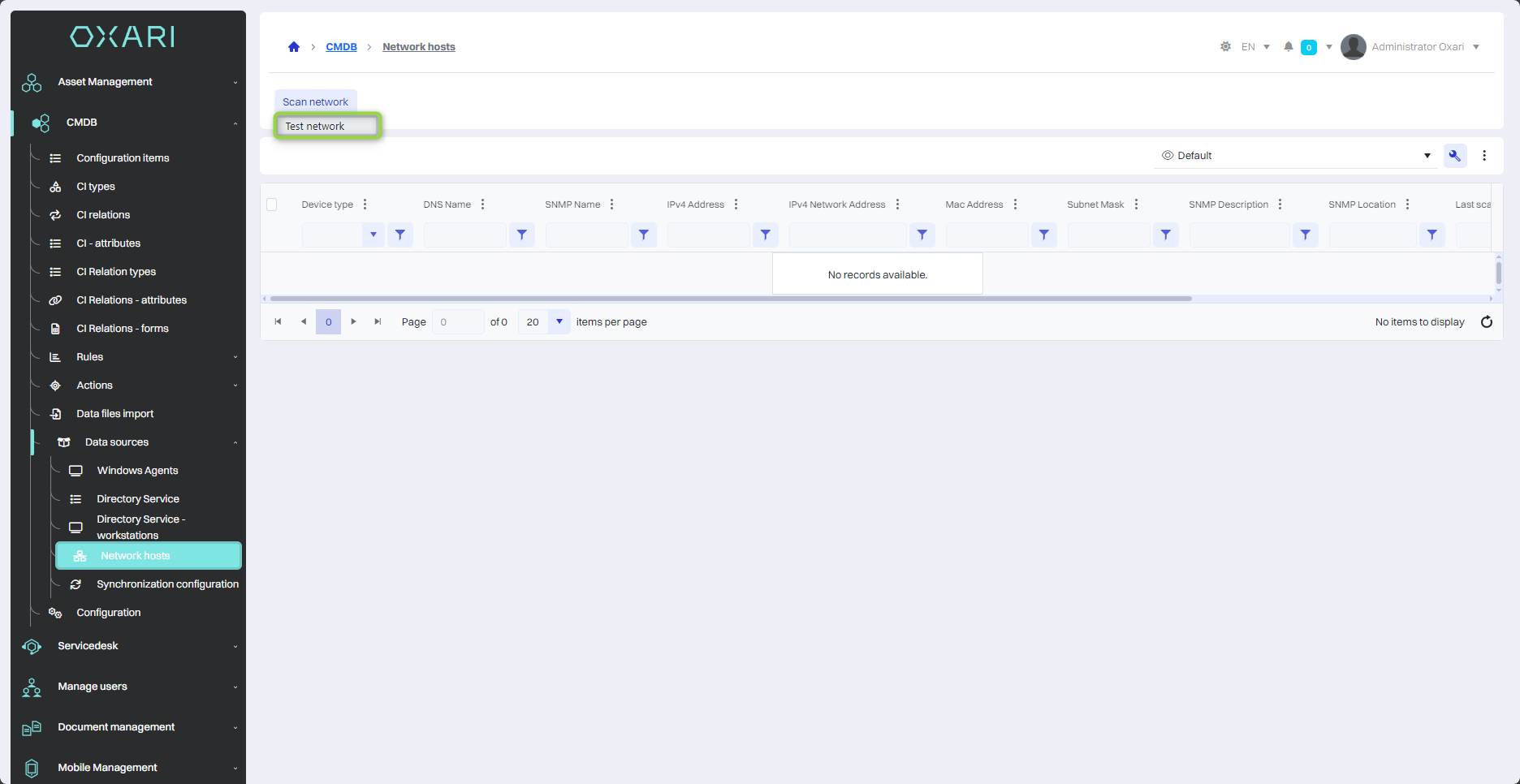
The “Network hosts” section displays a list of hosts connected to the network with their detailed information. It includes:
|
1 |
Device type - Specifies the type of network device, for example, switch (SW) or printer. |
|
2 |
DNS name - The full domain name of the device, which is used in TCP/IP networks. |
|
3 |
SNMP name - The device name defined in the SNMP network management protocol, which can be used to monitor and manage the device. |
|
4 |
IPv4 address - The IP address of the device, which is a unique identifier on the local network. |
|
5 |
IPv4 subnet address - The address of the network to which the device belongs, which is used for network organization and traffic management. |
|
6 |
MAC address - The unique hardware identifier of a network device, used for communication within the local computer network. |
|
7 |
Subnet mask - Determines the size of the subnet and the range of IP addresses available on that network. |
|
8 |
Last scan - The date and time of the last network scan, which allows you to track the status of your network and hosts. |
|
9 |
Ping response [ms] - The response time of the device to a ping request, which is a measure of the device's response and availability on the network. |
To configure the subnet: Go >