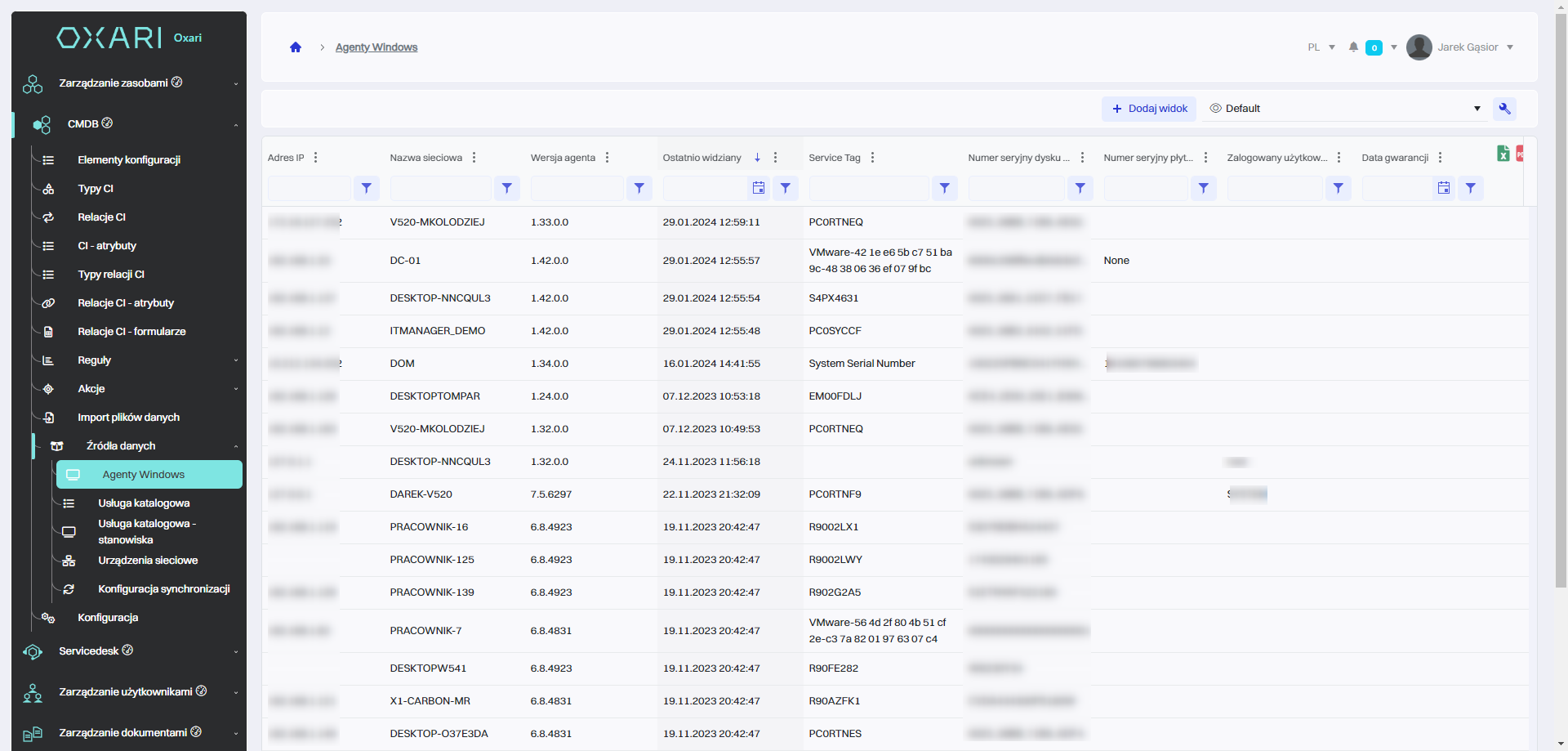
The “Windows agents” section displays a list of installed ITManager agents on machines running the Windows operating system. In this section, the user can:
|
1 |
See the IP addresses of the agents, which allows the network identification of each agent. |
|
2 |
Check the network names of the agents, which makes it easier to recognize and manage individual machines. |
|
3 |
Monitor the versions of the agents, which is important to keep the software up to date and ensure compatibility with the management system. |
|
4 |
Track recent agent activity (“Last seen”), which helps maintain security and monitor network activity. |
|
5 |
Review unique hardware identifiers, such as “Service Tag” or disk serial numbers, which is important for inventory and asset management. |
|
6 |
Manage logged-in users, which allows you to control access and audit system usage. |
|
7 |
View warranty dates, which is crucial for hardware lifecycle management and support planning. |