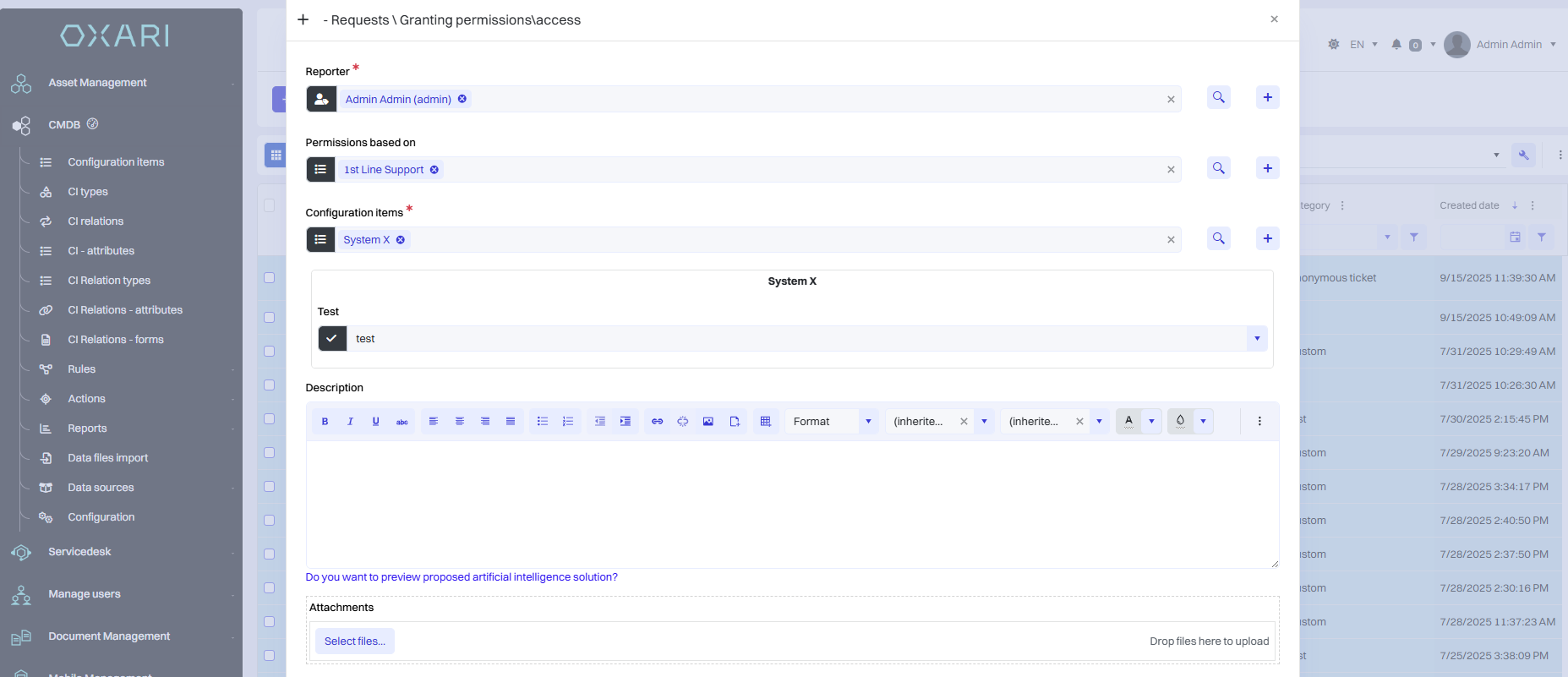
This manual describes the process of creating permission templates that can be used in permission requests in the Servicedesk module.
To create a permission template, follow the instructions.
-
In the Servicedesk module, create the “Configuration elements” attribute as shown in the screenshot below.
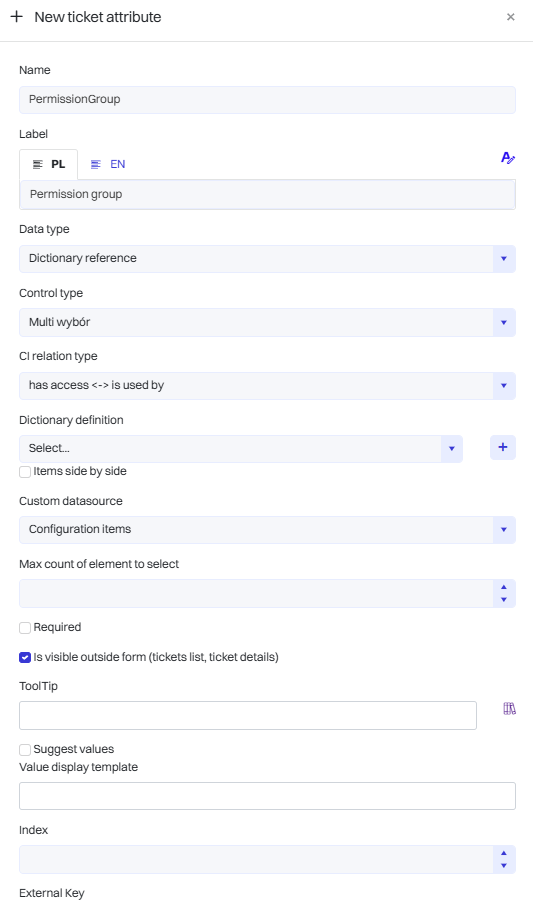
-
Add the attribute created in this way to the permission assignment form. You can name it in the white field, e.g., “Permissions based on.”
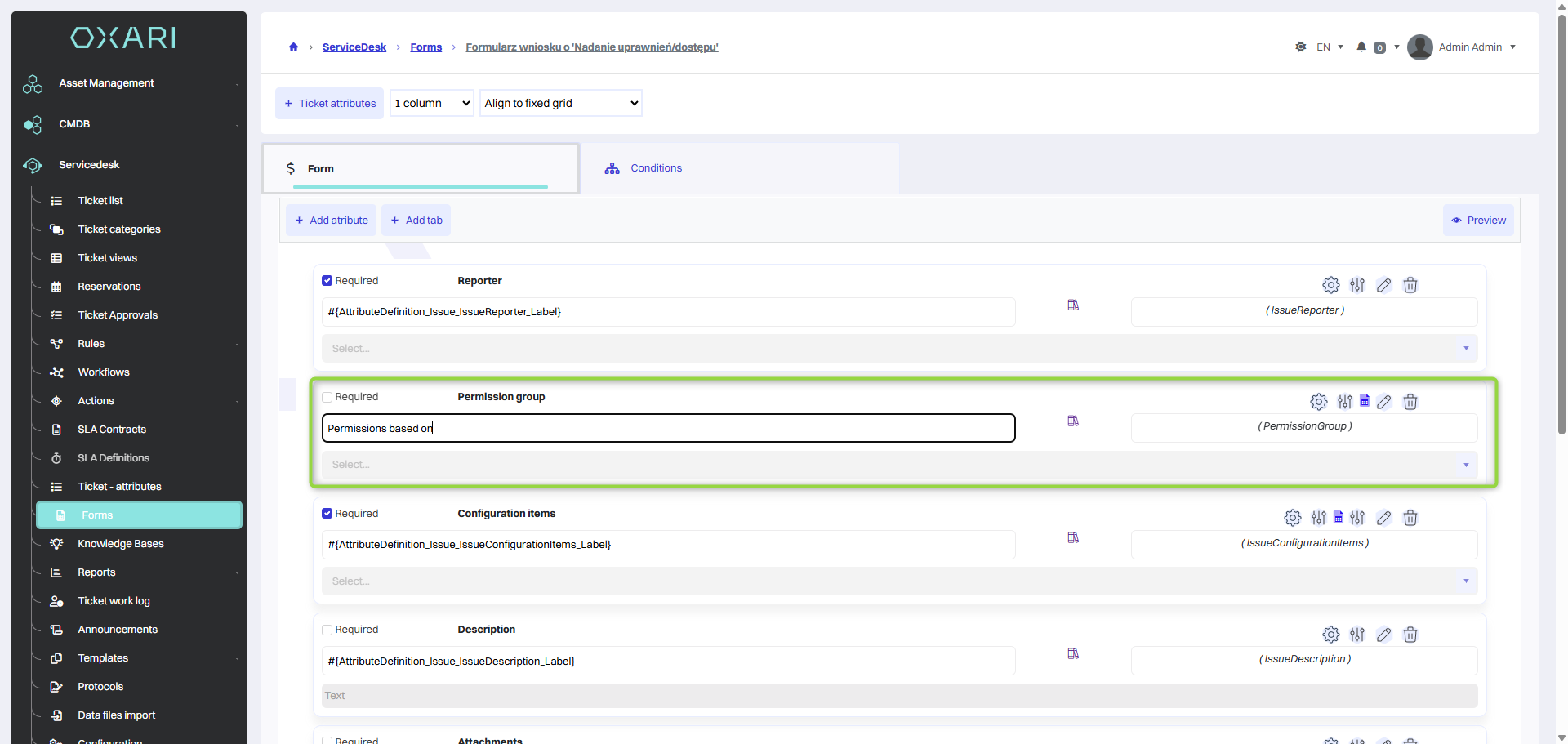
We save the attributes.
-
On the added attribute, click the pencil button and add a data filter – Configuration item type equal to Permission group and, in this case, Name contains Line.
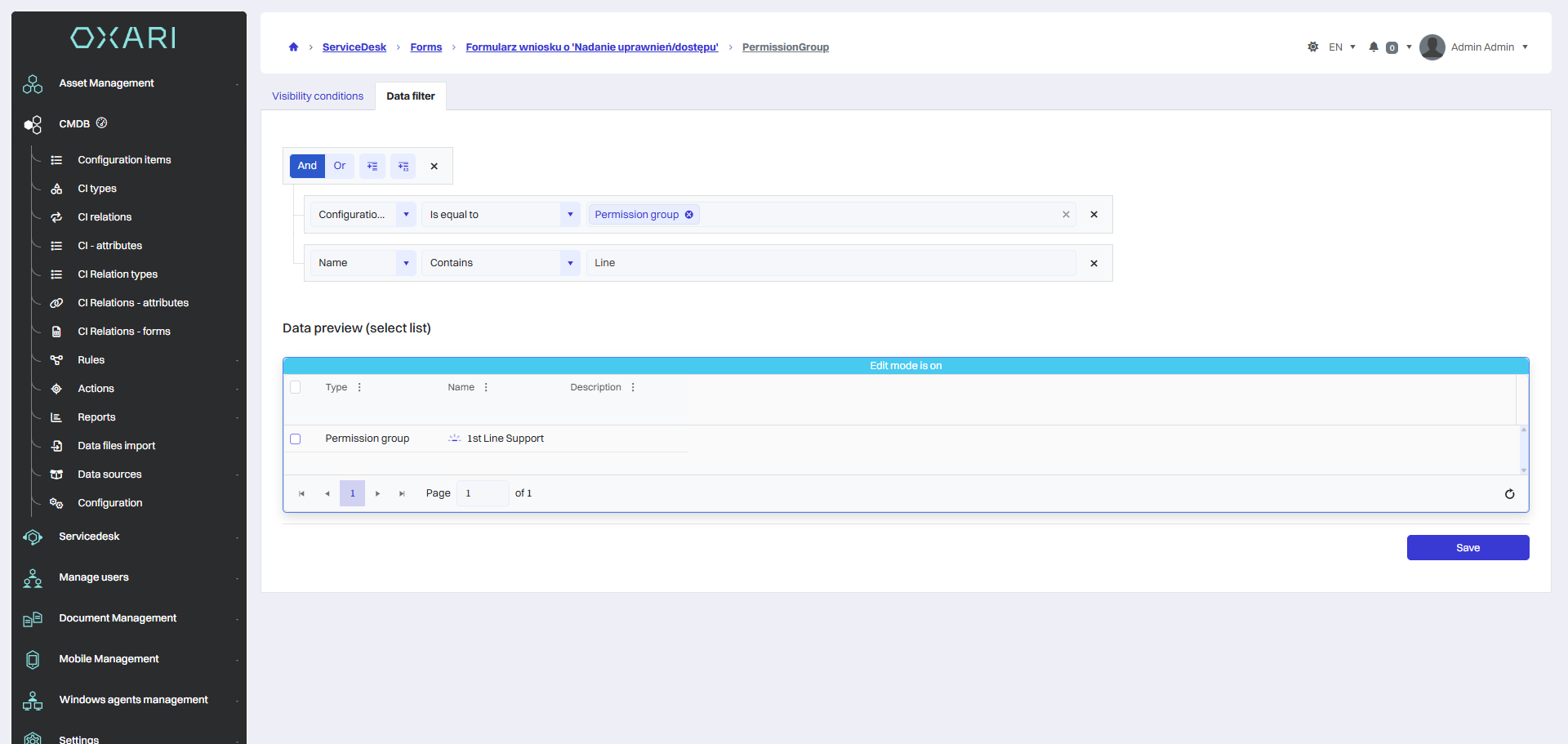
We save the data filter.
In the configuration elements in the CMDB module, create a Permission Group that suits your needs. For documentation purposes, create one with the appropriate “has access” relationship to IT Systems and “is used by” Permission Group.
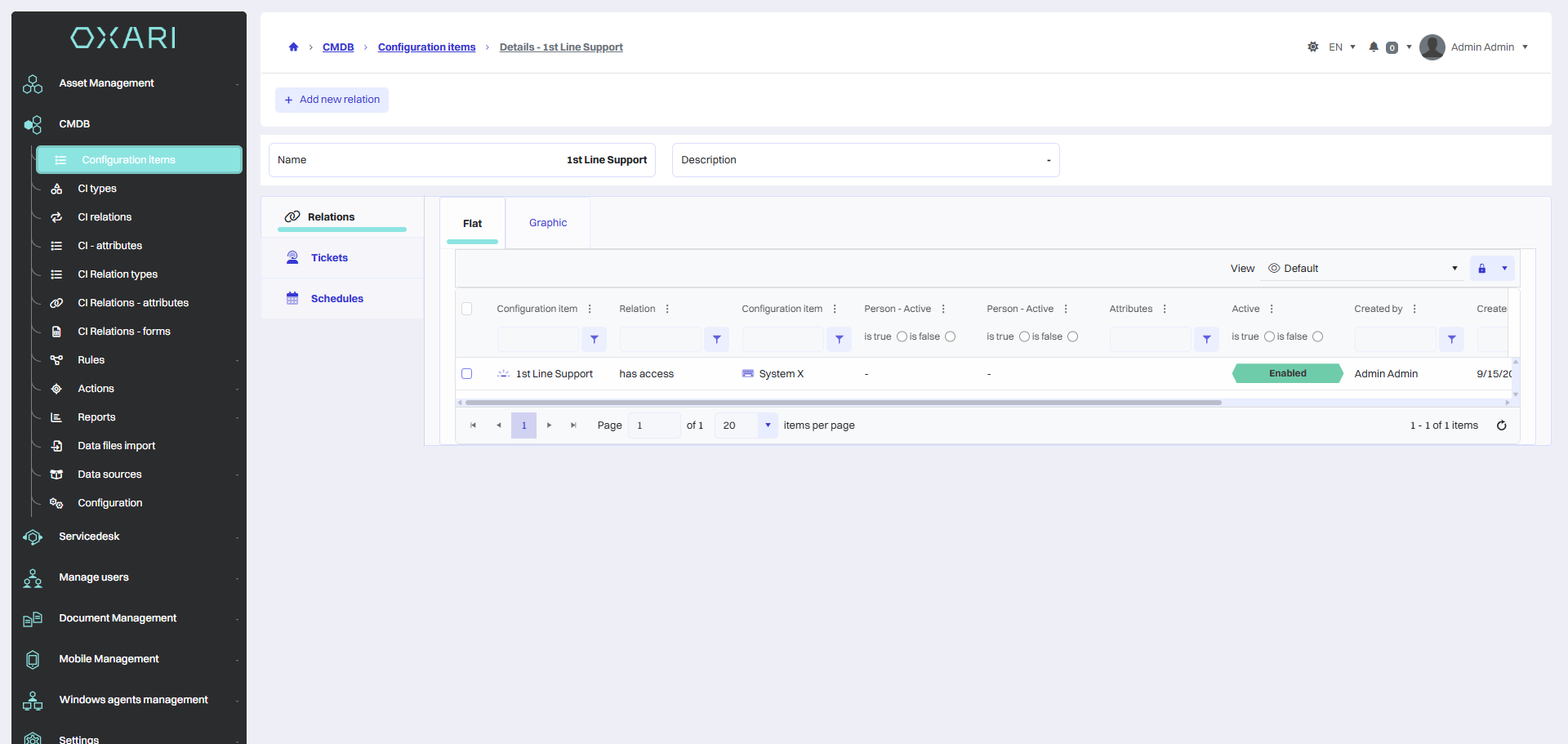
It is now possible to use the mechanism of cloning permissions based on permission groups in the form.
View before selecting “Permissions based on.”
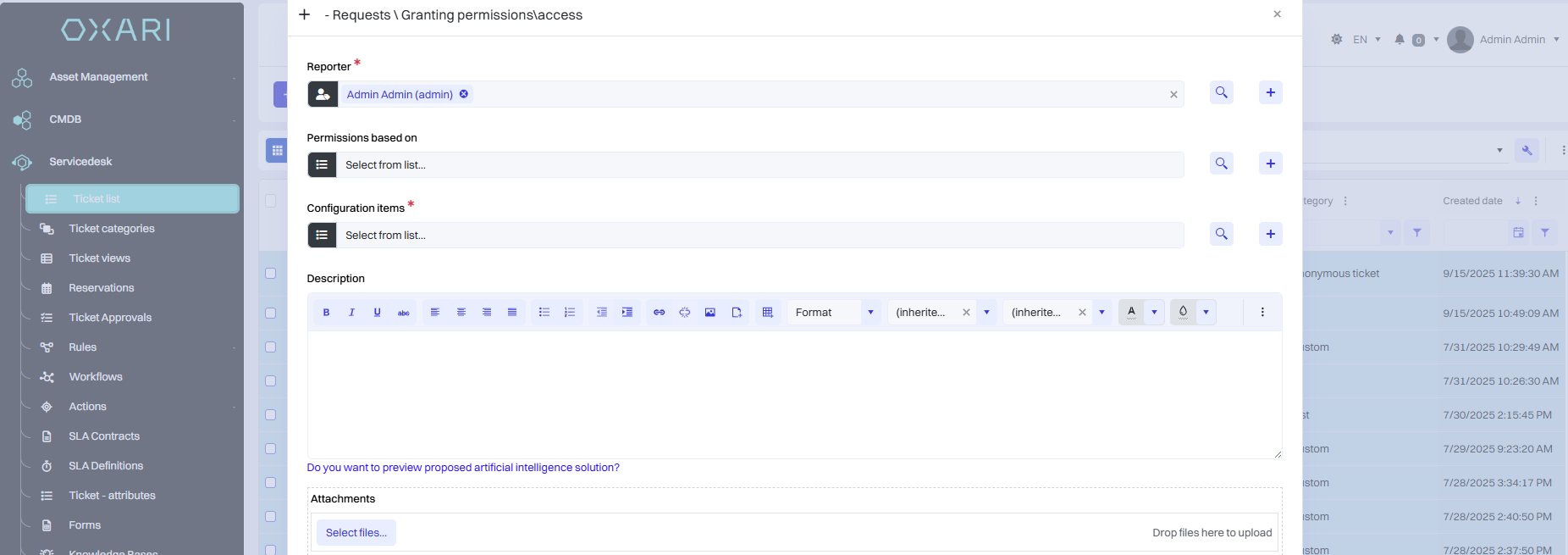
View after selecting “Permissions based on.”