Views in OXARI are predefined or customized ticket list views that users can customize to meet their needs.
For more about ticket lists: Go >
New view
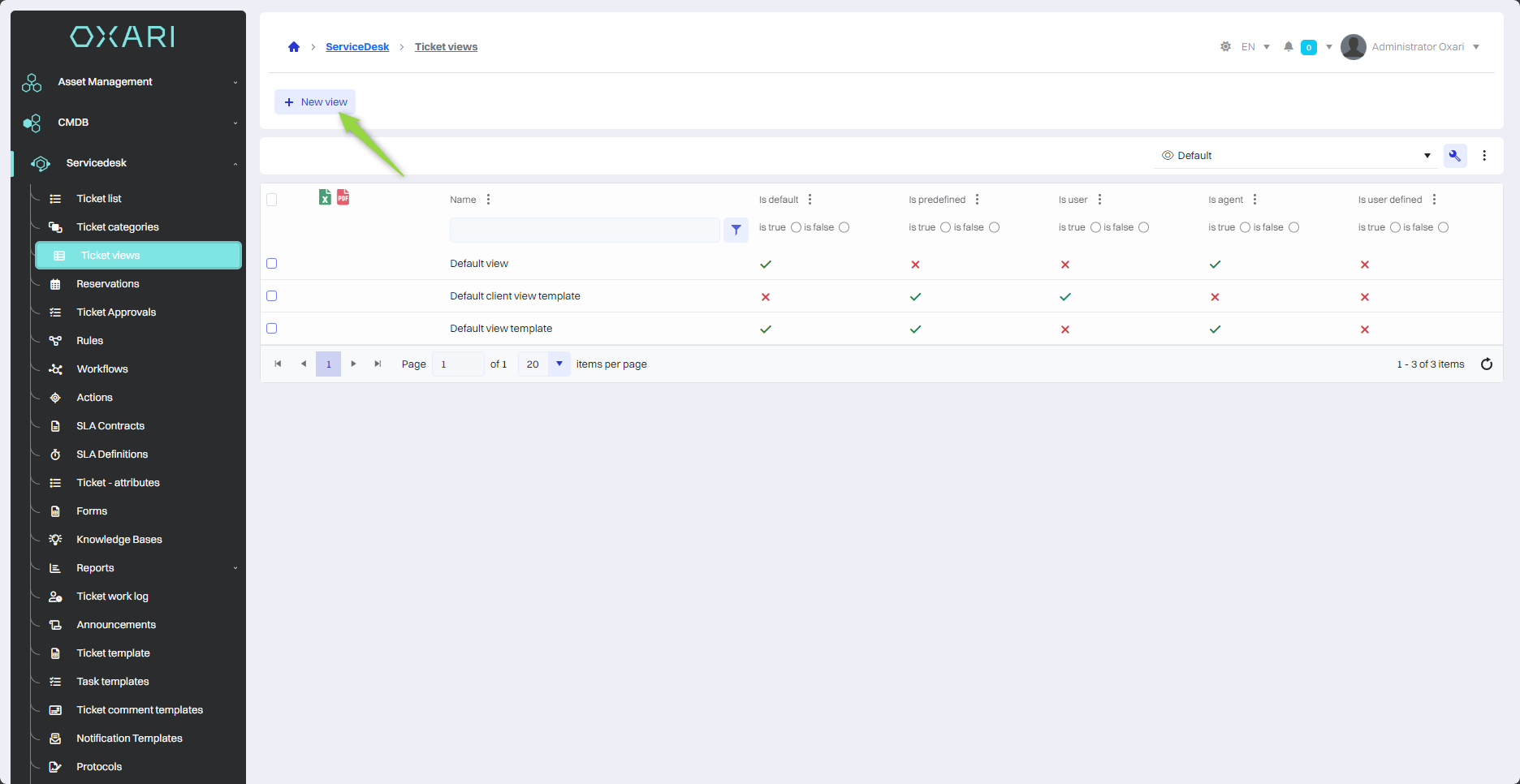
To create a new view, go to Servicedesk > Ticket views, then click the “New view” button.
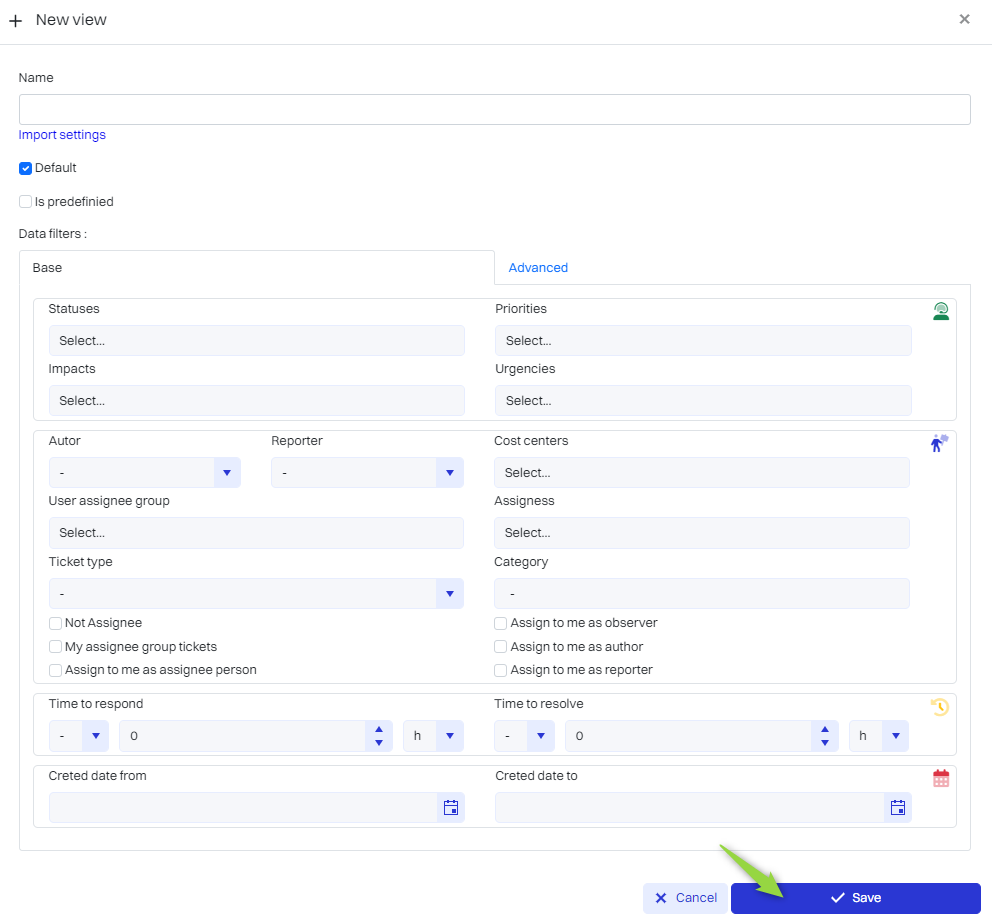
Then in the “New view” window you can personalize the view of the list of tickets, the most important options described below:
|
1 |
Name - A field where the user enters the name of the newly created view. |
|
2 |
Import settings - You can download a view from another already existing view. |
|
3 |
Default - Checking this box means that the view will be the default view. |
|
4 |
Is predefined - Checking this box allows you to restrict the view to dynamic groups. |
Fill in the desired fields and click the “Save” button.
Editing/Deleting a view
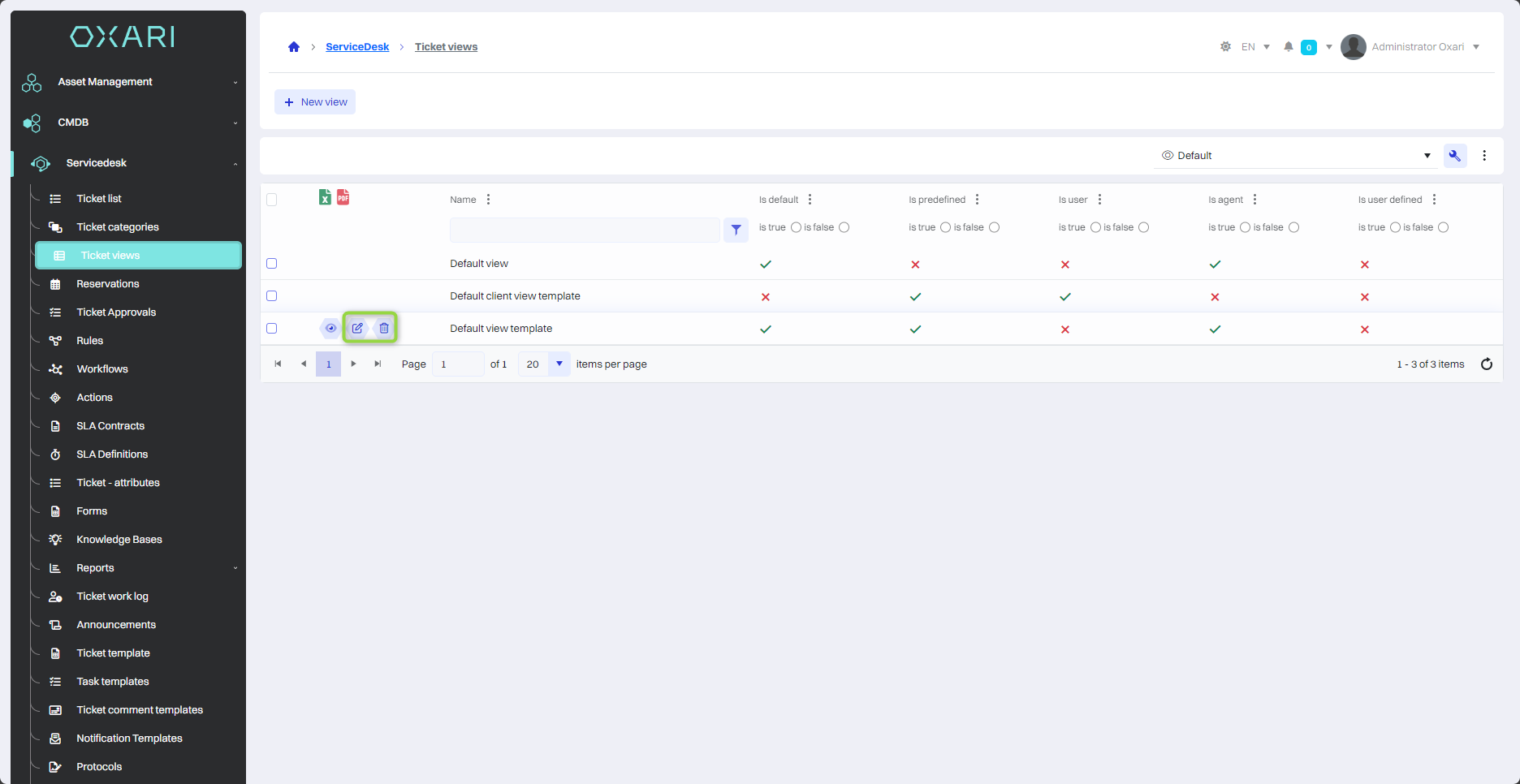
To edit or delete a view, go to Servicedesk > Ticket views. Hover over the desired view. The edit/delete buttons will be displayed.