
Attributes in forms play a key role in data collection and organization. They are fields that the user must fill in when creating or editing a document. Attributes can take various forms, such as text values, numeric values, dates, references to other documents or dictionaries, as well as logical values (yes/no). Thanks to them, the form is able to collect all the necessary information specific to a particular type of document
More about the forms: Go >
Adding a new attribute
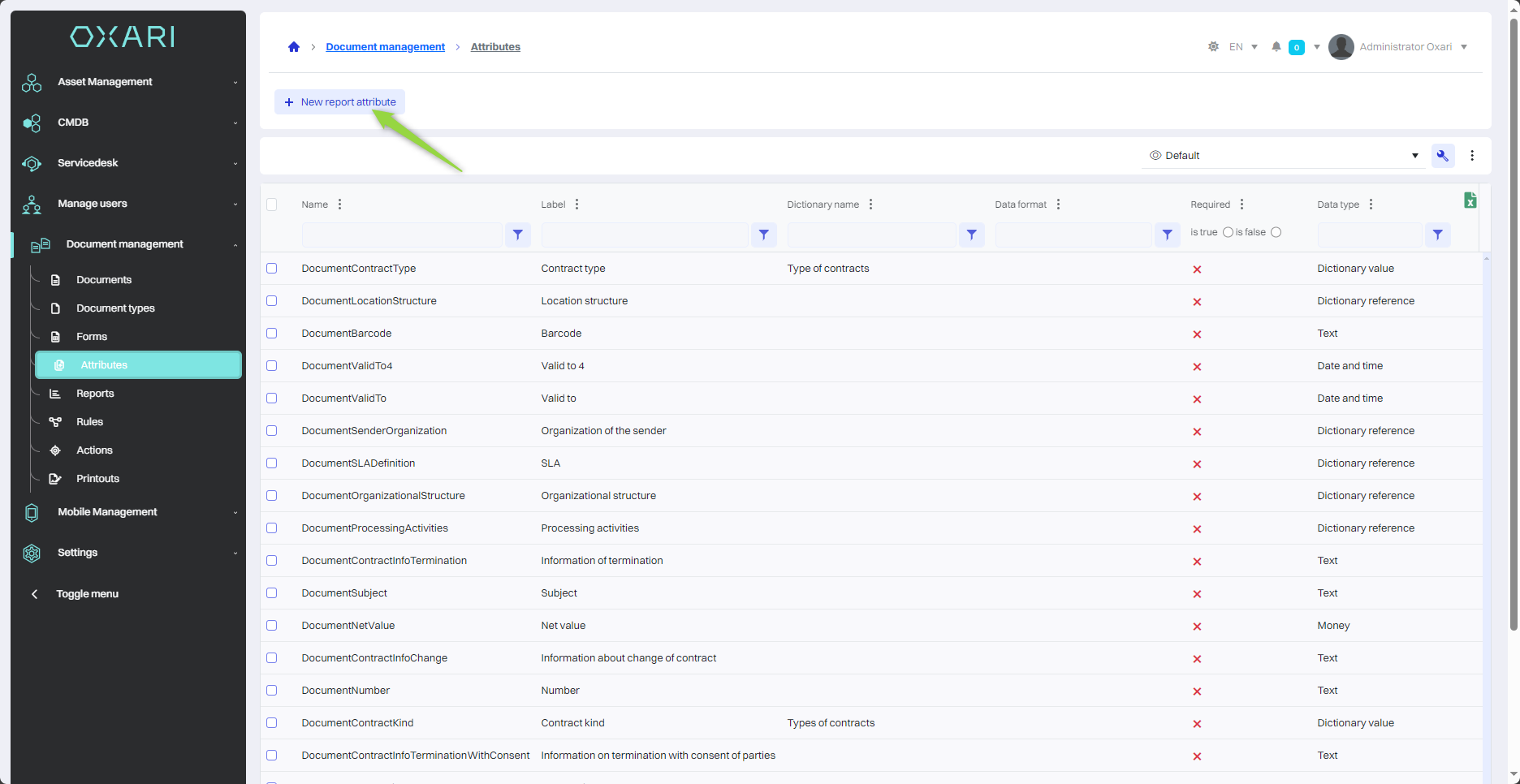
To add a new attribute, go to Document Management > Attributes, and then click the "New report attribute" button.
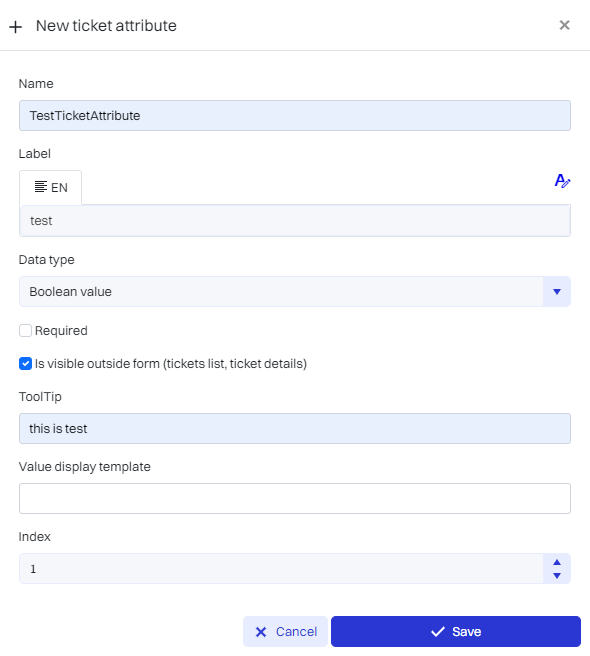
Next, in the New Attribute view, configure the attribute, and then click on the "Save" button.
|
1 |
Name - A unique name for identifying the attribute in the system. |
|
2 |
Label - Set the attribute label in different languages if the system offers multilingualism. |
|
3 |
Data Type - Selection of the type of data that will be stored as an attribute, for example, "Boolean value" for yes/no type data. |
|
4 |
Checkbox Required - Select the option if the attribute is mandatory in the form. |
|
5 |
Visibility of the Attribute Outside the Form - Activate the option if the attribute is to be presented also in other places in the system, such as in the request lists. |
|
6 |
Hint - Adding a text hint explaining what the user should enter in the field. |
|
7 |
Value Display Template - Determine the format for presenting the attribute value, if required. |
|
8 |
Position - Determine where in the form structure the attribute should go. |
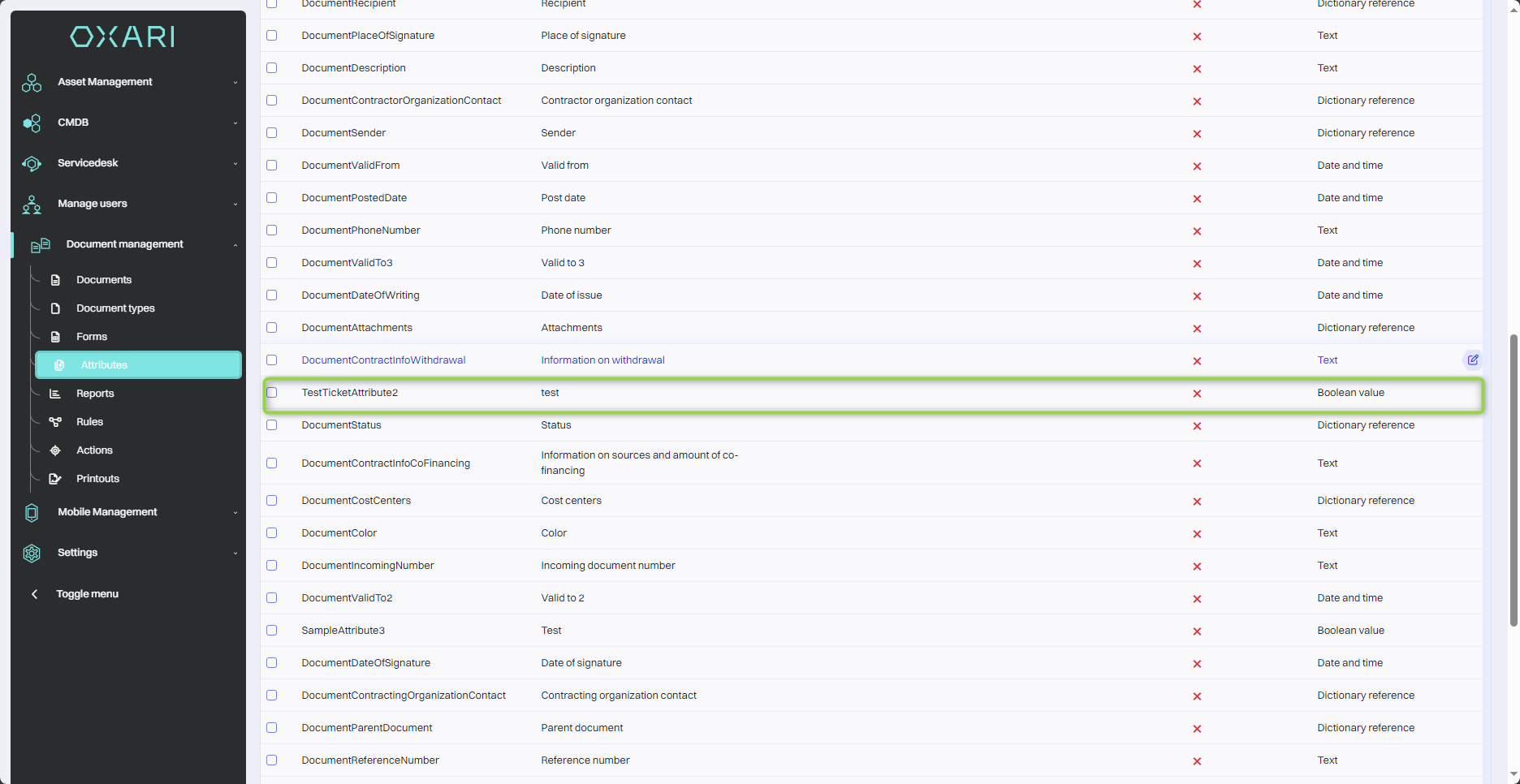
The attribute appears in the list:
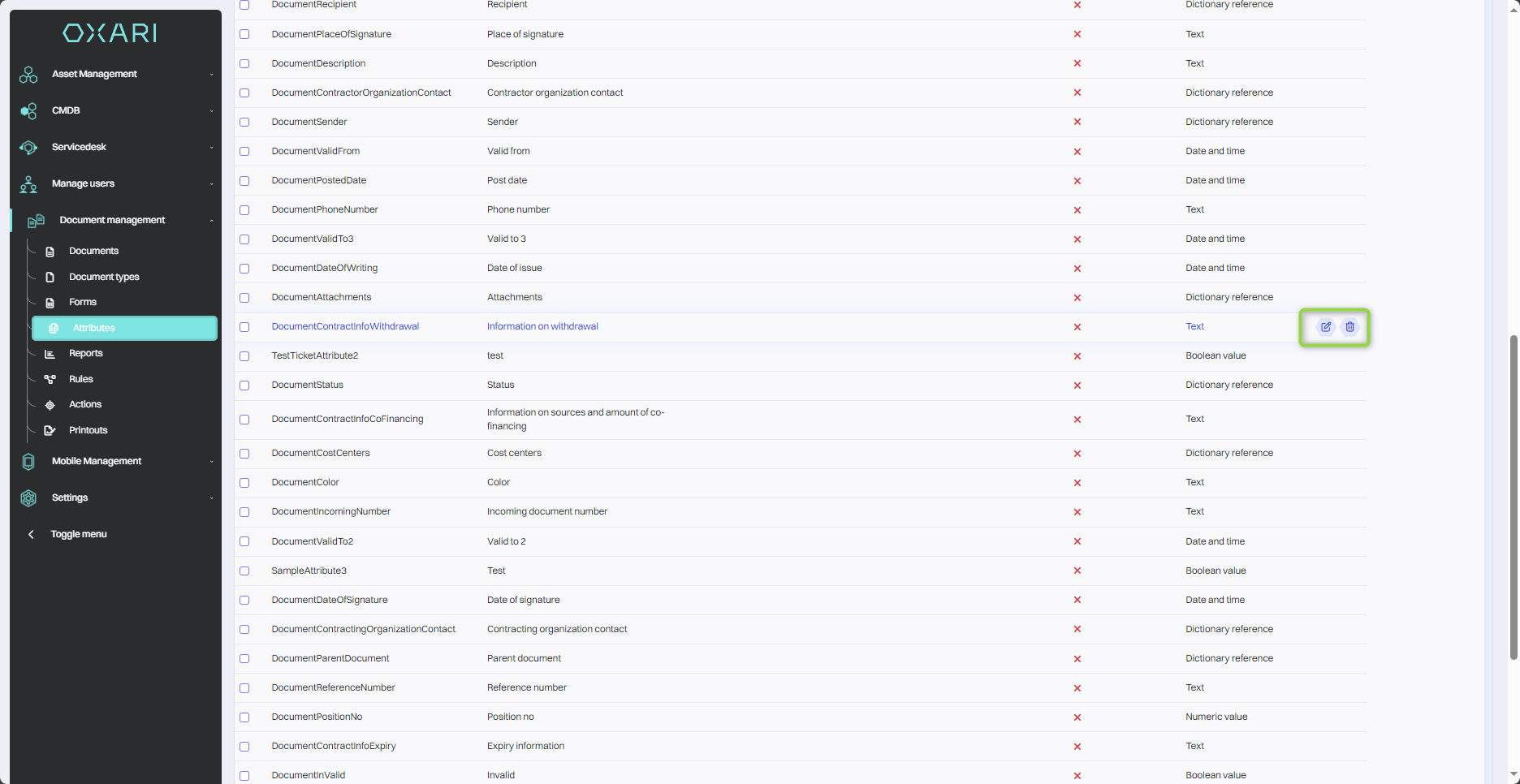
Edit/Delete
An attribute can be edited or deleted using the following buttons.
Data types for attributes
|
1 |
Boolean value - A data type that allows the user to choose between two options, usually yes/no or true/false. |
|
2 |
Date and time - Allows users to enter the date, time or both. |
|
3 |
Numeric value - Designed to enter numbers, it can be used to represent quantity, value or other numeric data. |
|
4 |
Monetary value - Used to enter monetary amounts and can handle different currencies. |
|
5 |
Text - A text field for entering any string of characters. |
|
6 |
Dictionary reference - A data type that allows you to select values from a predefined set of data, called a dictionary. |
|
7 |
Value from a dictionary - Like a dictionary reference, it allows you to select a specific value from a set of predefined options. |
|
8 |
Descriptive - This data type allows you to enter longer text that can be used for a detailed description, comments or other information that requires more space than a standard text field. |